Synology Design Site
Design Guideline Website From Scratch to Live
The Synology Design Guideline Site is designed to ensure consistent and versatile brand communication by providing clear structure and direction for all visual and written materials. From color systems to diagrams, it serves as a comprehensive resource for stakeholders creating both internal and external content.
The Synology Design Guideline Site is designed to ensure consistent and versatile brand communication by providing clear structure and direction for all visual and written materials. From color systems to diagrams, it serves as a comprehensive resource for stakeholders creating both internal and external content.
Client / Industry
Synology / Software
Linda's Role
Project Manager
Skills
UX design, Project Management, Data Analytics
Date
June 2021 - June 2025
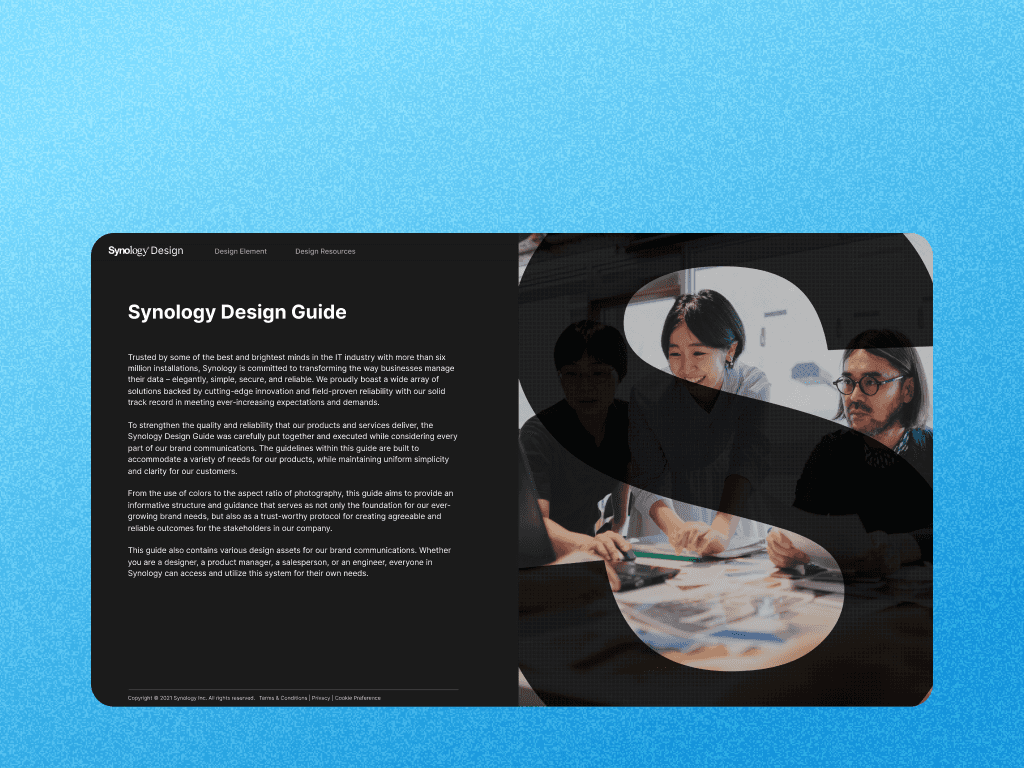
The Synology Design Guideline Site was created to deliver consistent and flexible brand communication by offering a clear structure for all visual and written assets. Launched externally as a four-year optimization initiative in June 2021, the project focused on enhancing usability for global users, including those in Taiwan, Germany, and the U.S. Our team tackled key challenges such as improving search functionality and download efficiency based on user behavior data. • Over 60% of users are first-time visitors • Peak day: 341 downloads • 46% of total traffic originates from the Icon page
01 Challenge & Role

Creating a centralized, scalable design platform for global teams Design resources at Synology were once scattered, inconsistent, and difficult to maintain—causing inefficiencies across international teams. As the company grew, the need for a centralized, well-structured design guideline site became essential. As the Design Coordinator, I led UX planning, IA restructuring, content strategy, stakeholder collaboration (across design, engineering, and marketing), and long-term operational updates.
02 Process Overview
The Synology Design Guideline Site was created to deliver consistent and flexible brand communication by offering a clear structure for all visual and written assets. Launched externally as a four-year optimization initiative in June 2021, the project focused on enhancing usability for global users, including those in Taiwan, Germany, and the U.S. Our team tackled key challenges such as improving search functionality and download efficiency based on user behavior data. • Over 60% of users are first-time visitors • Peak day: 341 downloads • 46% of total traffic originates from the Icon page
The Synology Design Guideline Site was created to deliver consistent and flexible brand communication by offering a clear structure for all visual and written assets. Launched externally as a four-year optimization initiative in June 2021, the project focused on enhancing usability for global users, including those in Taiwan, Germany, and the U.S. Our team tackled key challenges such as improving search functionality and download efficiency based on user behavior data. • Over 60% of users are first-time visitors • Peak day: 341 downloads • 46% of total traffic originates from the Icon page
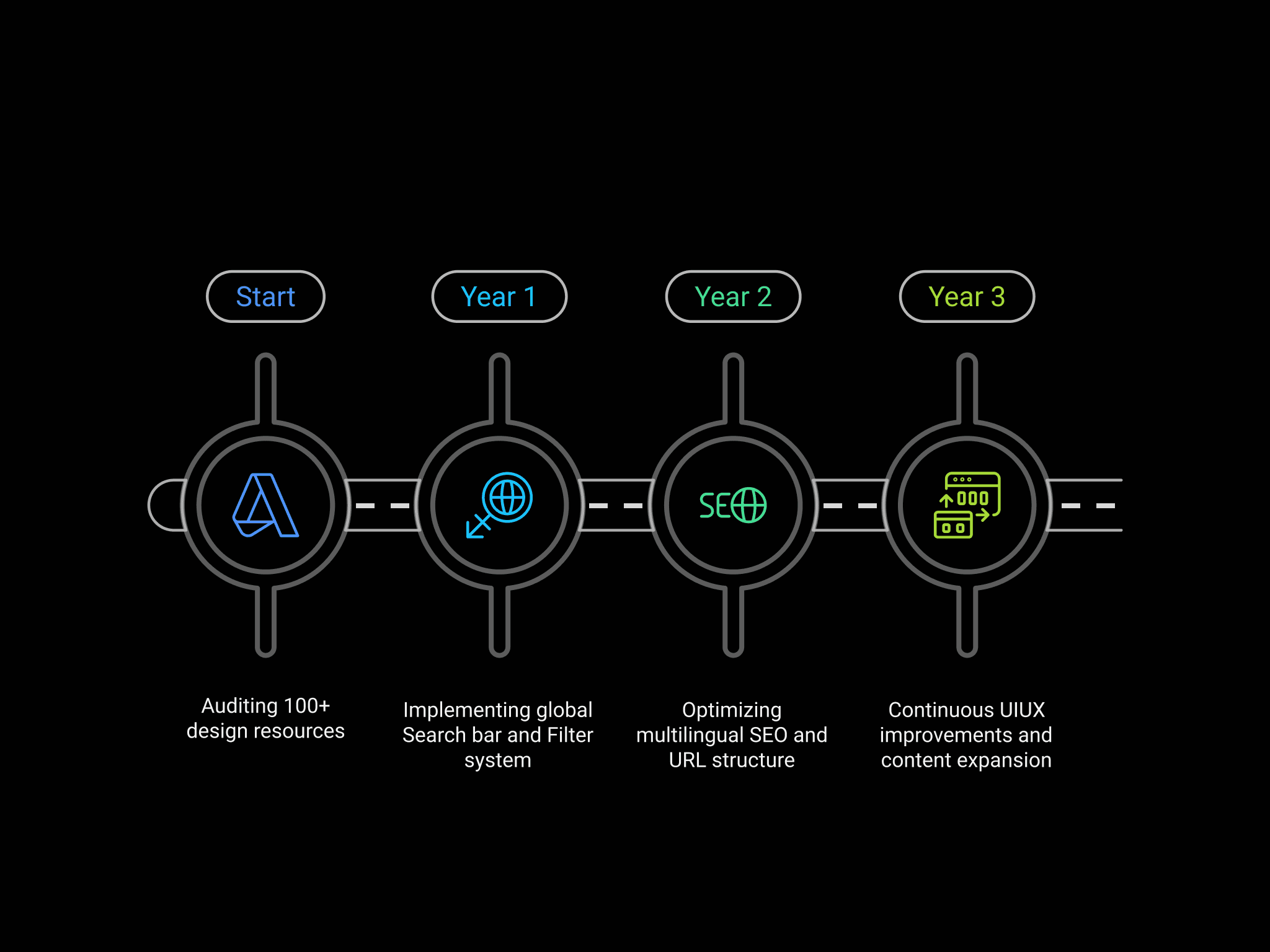
From scattered assets to a global design hub: 3 years, 10+ major updates We started by auditing over 100+ design resources—icons, logos, banners, product images, videos—and restructured them into a modular, user-friendly information architecture. I designed and implemented a global Search bar and Filter system, then integrated GA/GTM tracking to continuously monitor user behavior. To support international access, I coordinated with engineers to open the site to the public, optimized multilingual SEO and URL structure, and created update cycles of 2–3 major launches per year, covering UI improvements, content expansion, and responsive layout upgrades.
03 User Behavior & Insights
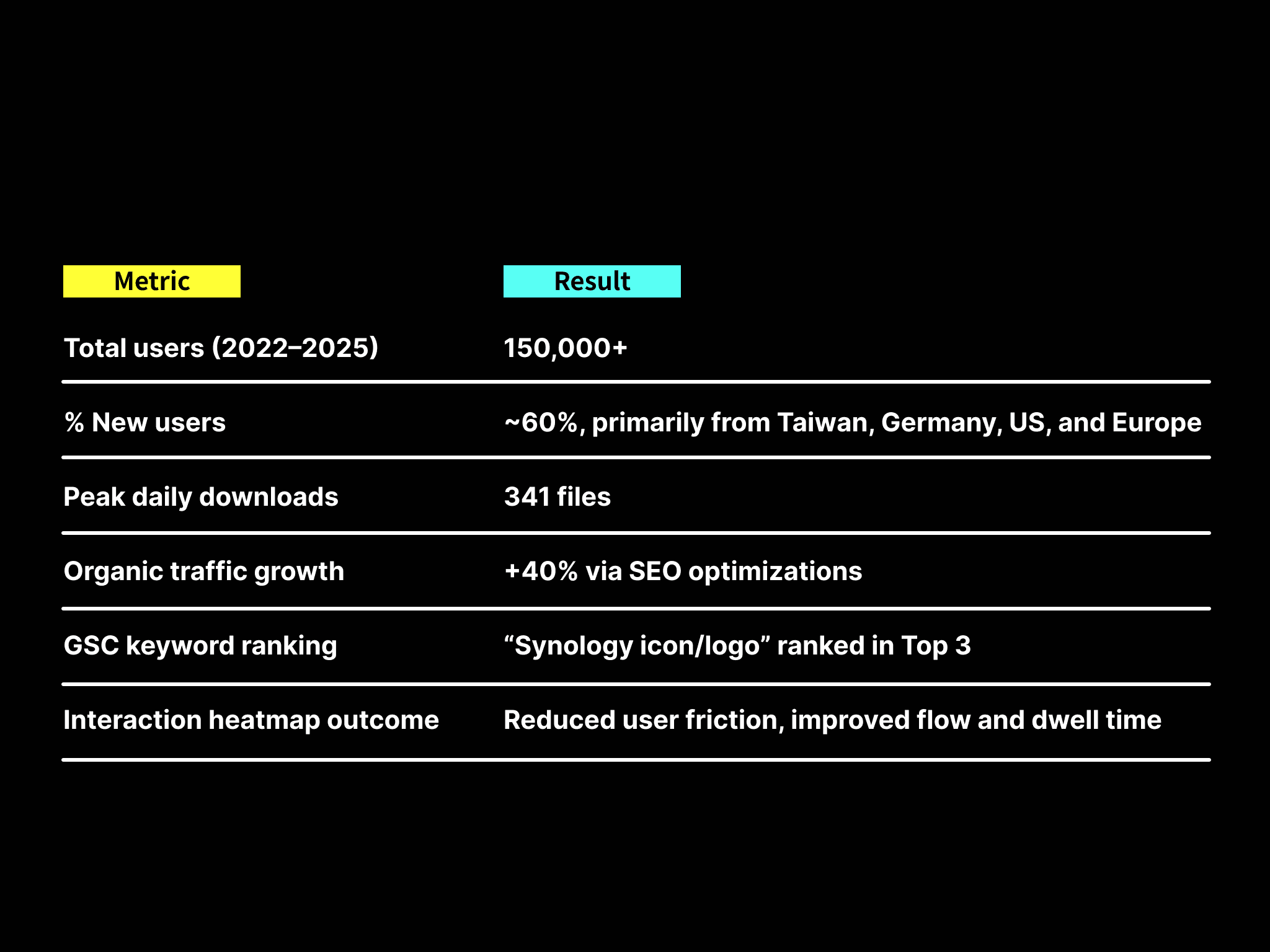
Measurable impact across global teams. These improvements transformed the site into one of the top-performing pages company-wide and became a vital support tool for distributed design teams—reducing asset misusage and alignment issues.
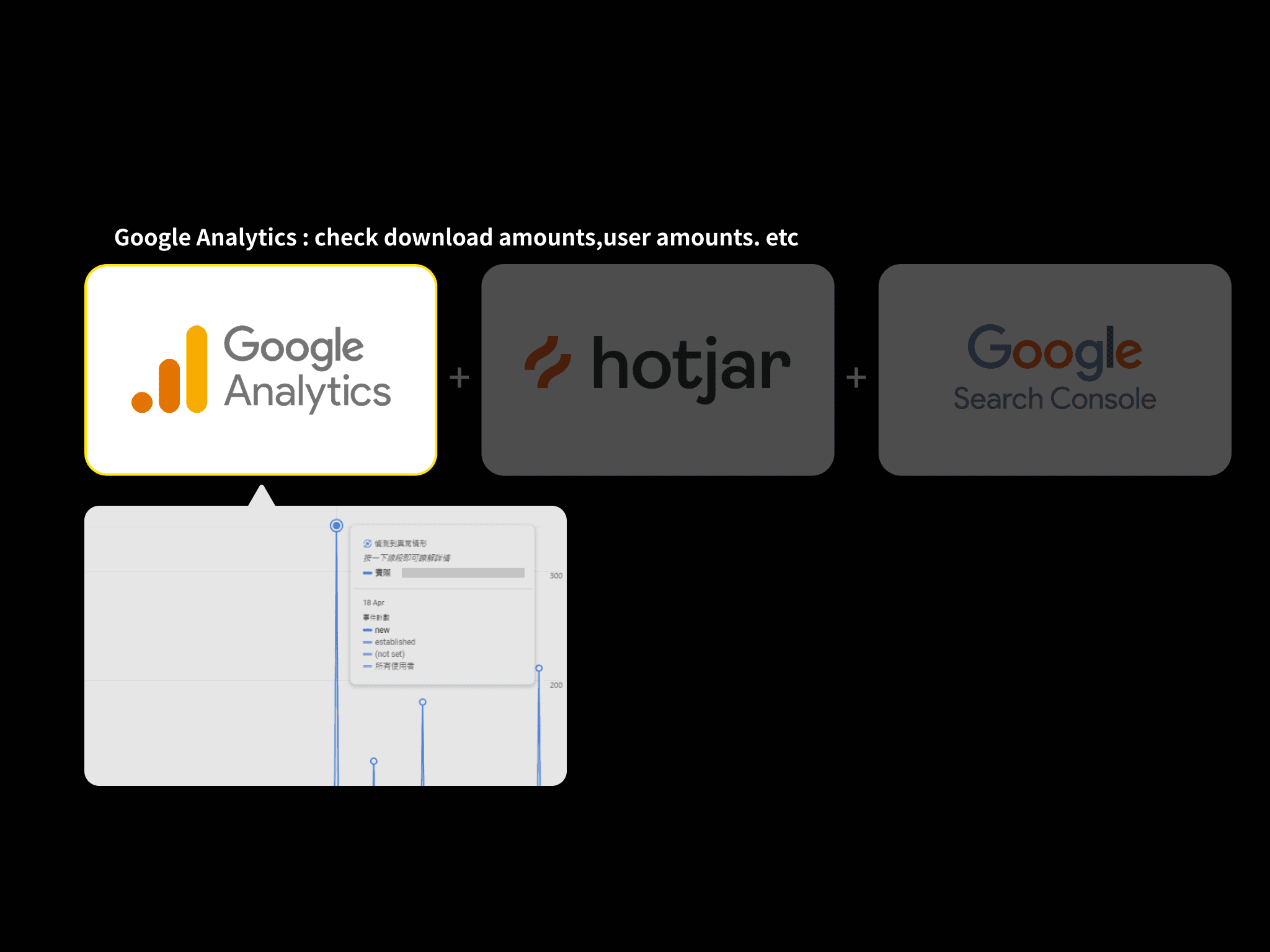
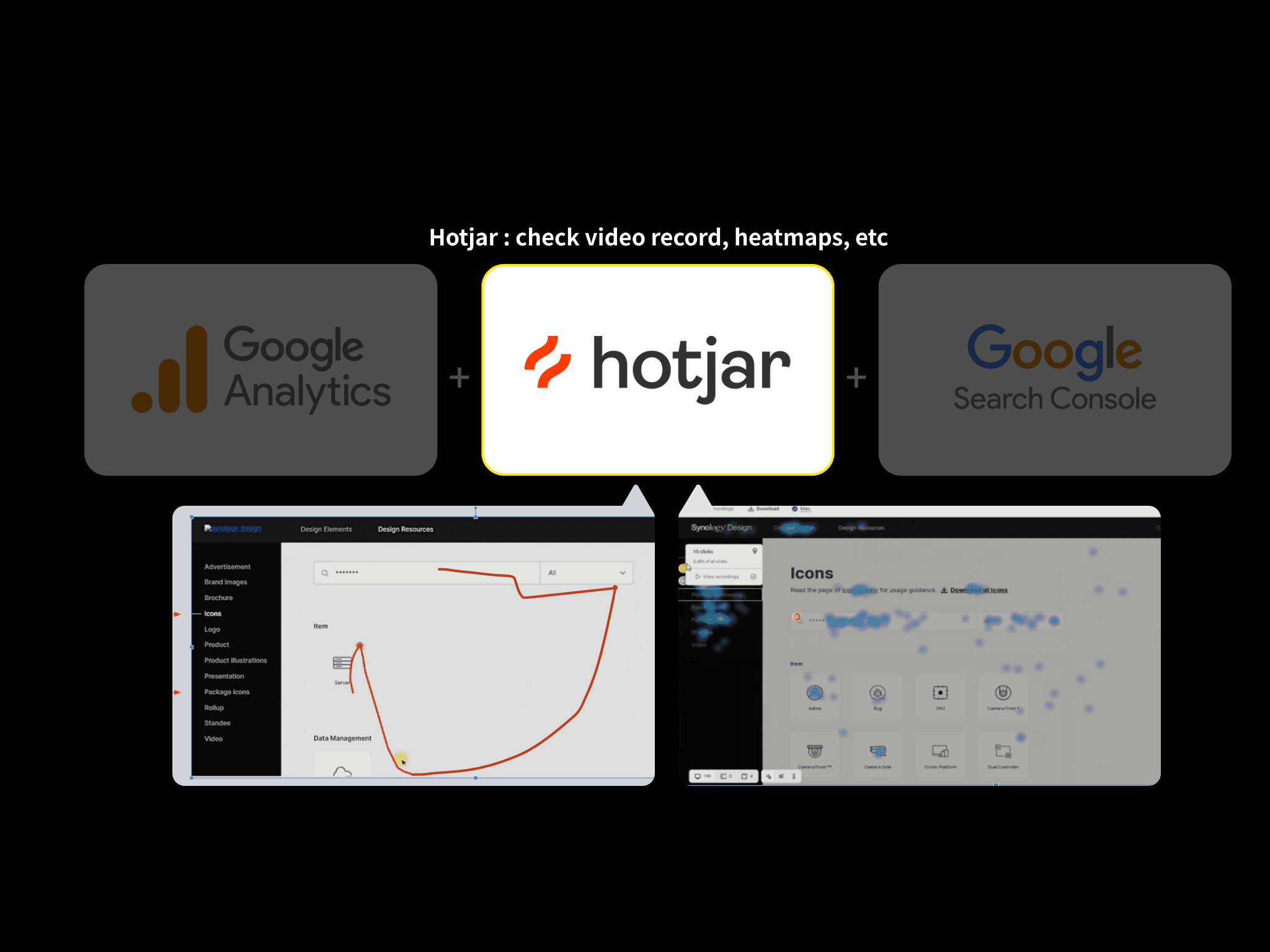
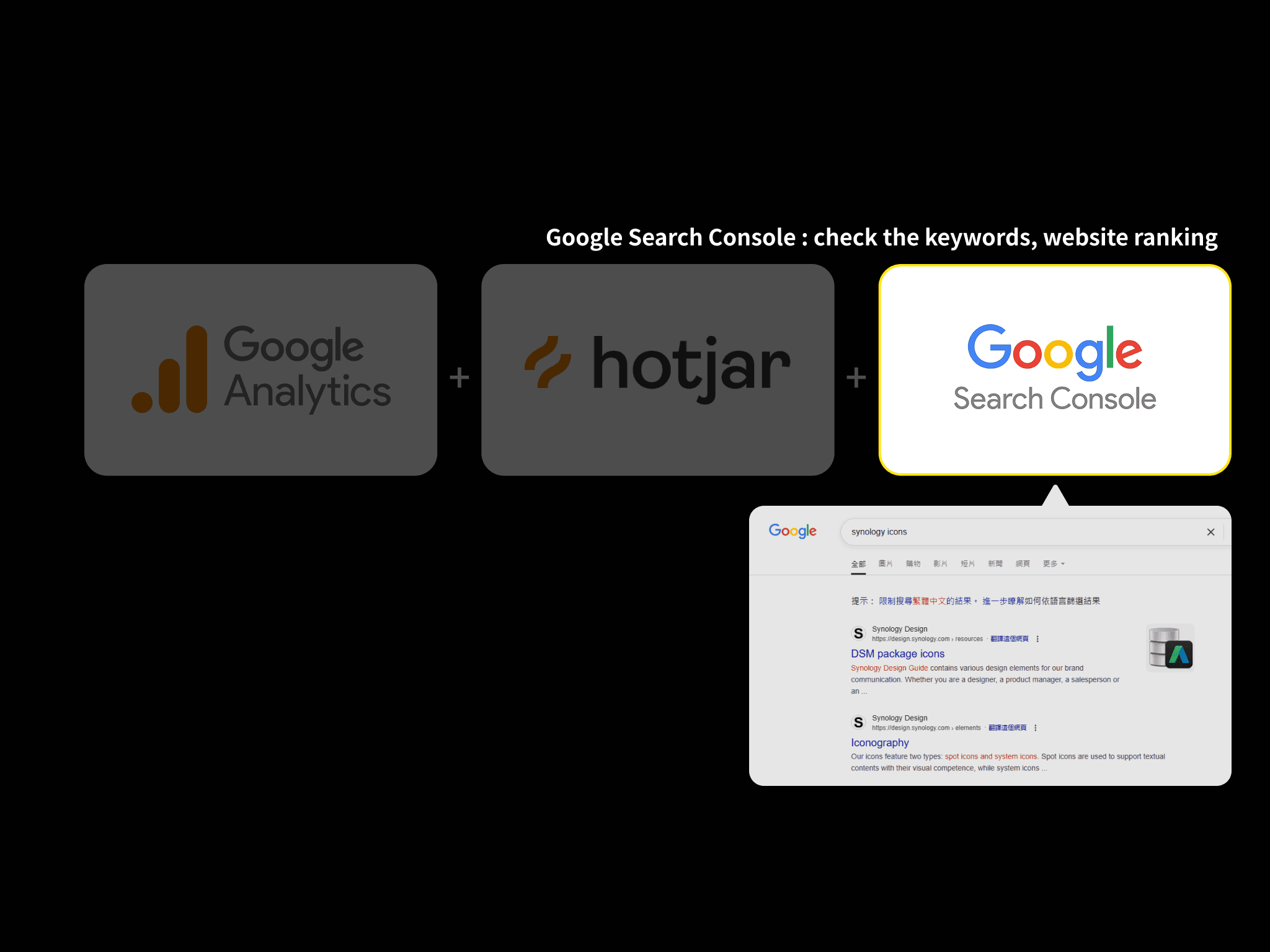
User-centered decisions powered by GA, Hotjar, GSC 1. Google Analytics (GA): Analytics revealed that icons, logos, and package icons were the top entry points, accounting for over 60% of total traffic. The /resources/icons page alone contributed 46% of incoming visits. Daily download peaks rose to 341, with consistent growth in event triggers and interactions. 2. Hotjar: Using Hotjar heatmaps and recordings, we discovered frequent tab-switching caused by distant placements between “icon” and “package icon.” Based on this finding, I restructured the tab layout—resulting in reduced bounce rate and improved user satisfaction. 3. Google Search Console (GSC): Search bar queries (e.g., "icons," "package-icons," "product") mirrored the top-performing GSC keywords like "synology icon"—validating the content-structure alignment with user intent.
From scattered assets to a global design hub: 3 years, 10+ major updates We started by auditing over 100+ design resources—icons, logos, banners, product images, videos—and restructured them into a modular, user-friendly information architecture. I designed and implemented a global Search bar and Filter system, then integrated GA/GTM tracking to continuously monitor user behavior. To support international access, I coordinated with engineers to open the site to the public, optimized multilingual SEO and URL structure, and created update cycles of 2–3 major launches per year, covering UI improvements, content expansion, and responsive layout upgrades.
04 UX Solutions
02 Process Overview
03 User Behavior & Insights
04 UX Solutions
05 Results & Impact
06 Continuous Optimization Strategy
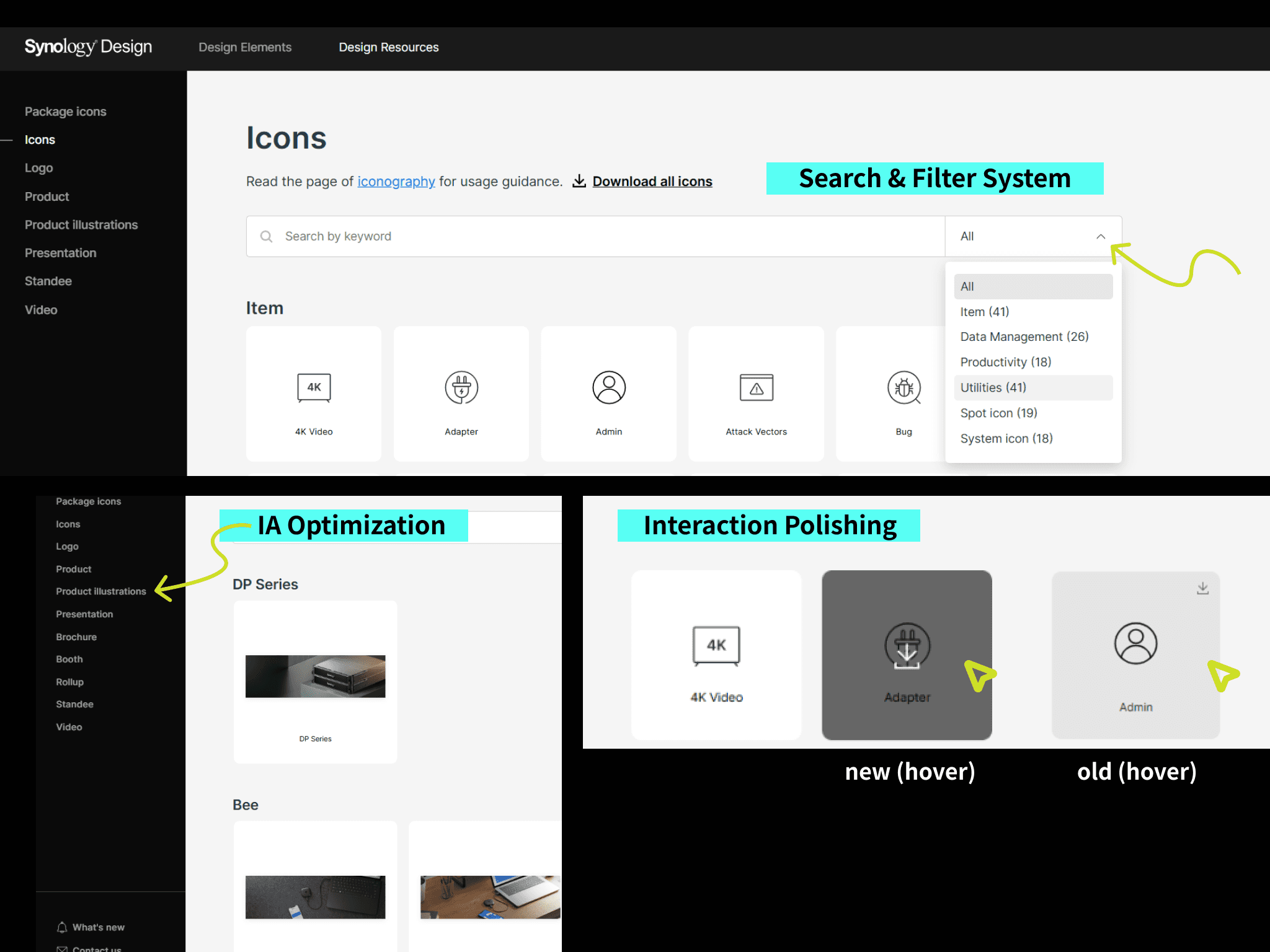
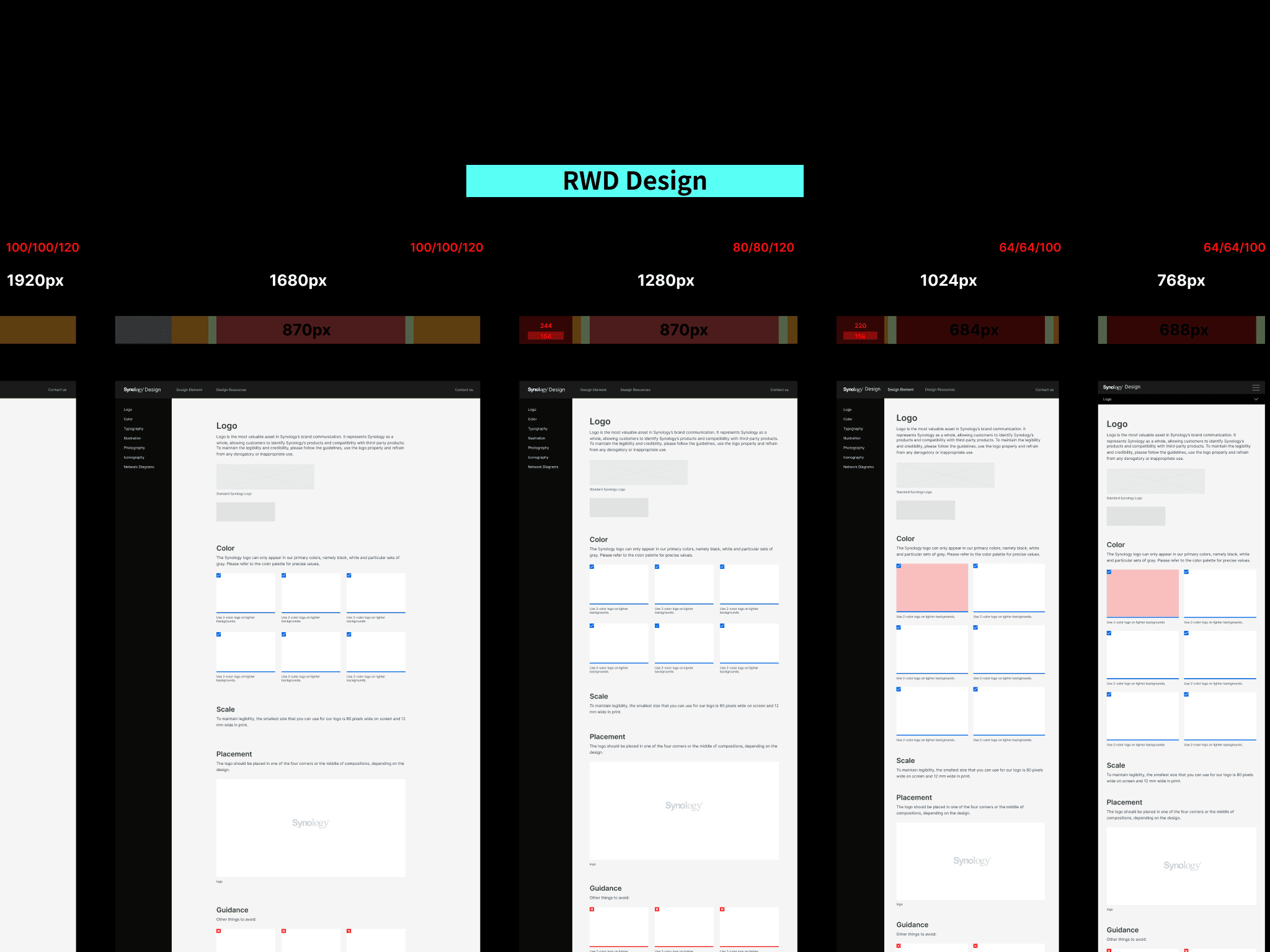
Key UX improvements I implemented: • Search & Filter System: The newly added bar increased findability and usability, confirmed through GTM event tracking. • IA Optimization: Resources were restructured and renamed based on real user search behavior, ensuring logical groupings like “Product Photo” and “Illustration.” • Interaction Polishing: Small yet impactful changes—hover previews on icons, revised tab orders, and simplified homepage copy—boosted interactivity and discoverability • Responsive Design Enhancements: I coworked with visual designer RWD optimizations to ensure consistent mobile/desktop experience, reducing bounce rates. RWD optimizations to ensure consistent mobile/desktop experience, reducing bounce rates.
Creating a centralized, scalable design platform for global teams Design resources at Synology were once scattered, inconsistent, and difficult to maintain—causing inefficiencies across international teams. As the company grew, the need for a centralized, well-structured design guideline site became essential. As the Design Coordinator, I led UX planning, IA restructuring, content strategy, stakeholder collaboration (across design, engineering, and marketing), and long-term operational updates.
02 Process Overview
03 User Behavior & Insights
04 UX Solutions
05 Results & Impact
06 Continuous Optimization Strategy
User-centered decisions powered by GA, Hotjar, GSC 1. Google Analytics (GA): Analytics revealed that icons, logos, and package icons were the top entry points, accounting for over 60% of total traffic. The /resources/icons page alone contributed 46% of incoming visits. Daily download peaks rose to 341, with consistent growth in event triggers and interactions. 2. Hotjar: Using Hotjar heatmaps and recordings, we discovered frequent tab-switching caused by distant placements between “icon” and “package icon.” Based on this finding, I restructured the tab layout—resulting in reduced bounce rate and improved user satisfaction. 3. Google Search Console (GSC): Search bar queries (e.g., "icons," "package-icons," "product") mirrored the top-performing GSC keywords like "synology icon"—validating the content-structure alignment with user intent.
05 Results & Impact
Measurable impact across global teams. These improvements transformed the site into one of the top-performing pages company-wide and became a vital support tool for distributed design teams—reducing asset misusage and alignment issues.
Measurable impact across global teams. These improvements transformed the site into one of the top-performing pages company-wide and became a vital support tool for distributed design teams—reducing asset misusage and alignment issues.
06 Continuous Optimization Strategy
01 Challenge & Role
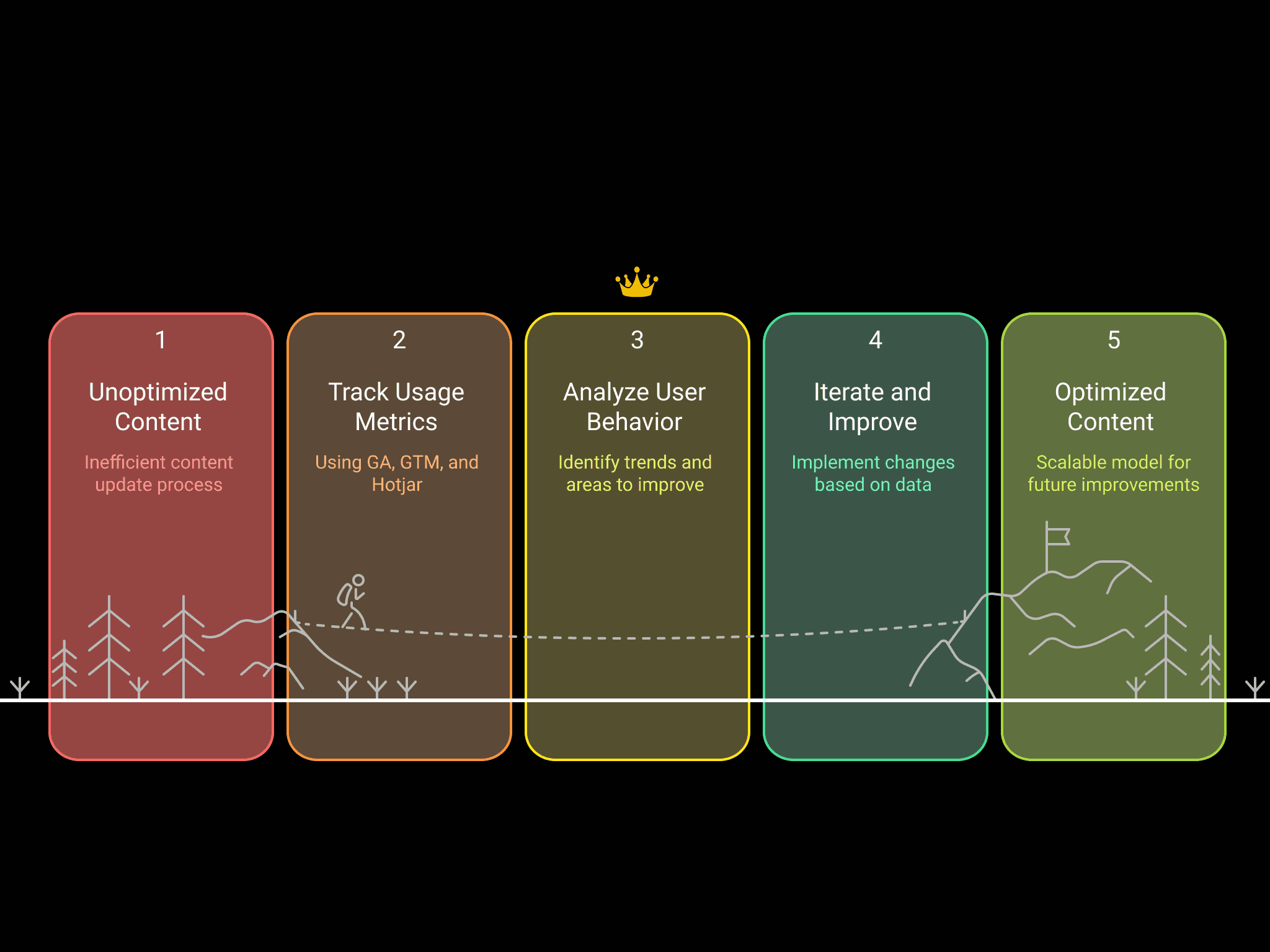
Establishing a data-driven content cycle to scale sustainably After every content update—whether new icons, videos, or campaign assets—I tracked usage metrics for 1–2 weeks using GA, GTM, and Hotjar. This allowed me to build a structured “release → behavior change → iteration” cycle, creating a scalable model for future improvements and trend prediction.
Establishing a data-driven content cycle to scale sustainably After every content update—whether new icons, videos, or campaign assets—I tracked usage metrics for 1–2 weeks using GA, GTM, and Hotjar. This allowed me to build a structured “release → behavior change → iteration” cycle, creating a scalable model for future improvements and trend prediction.
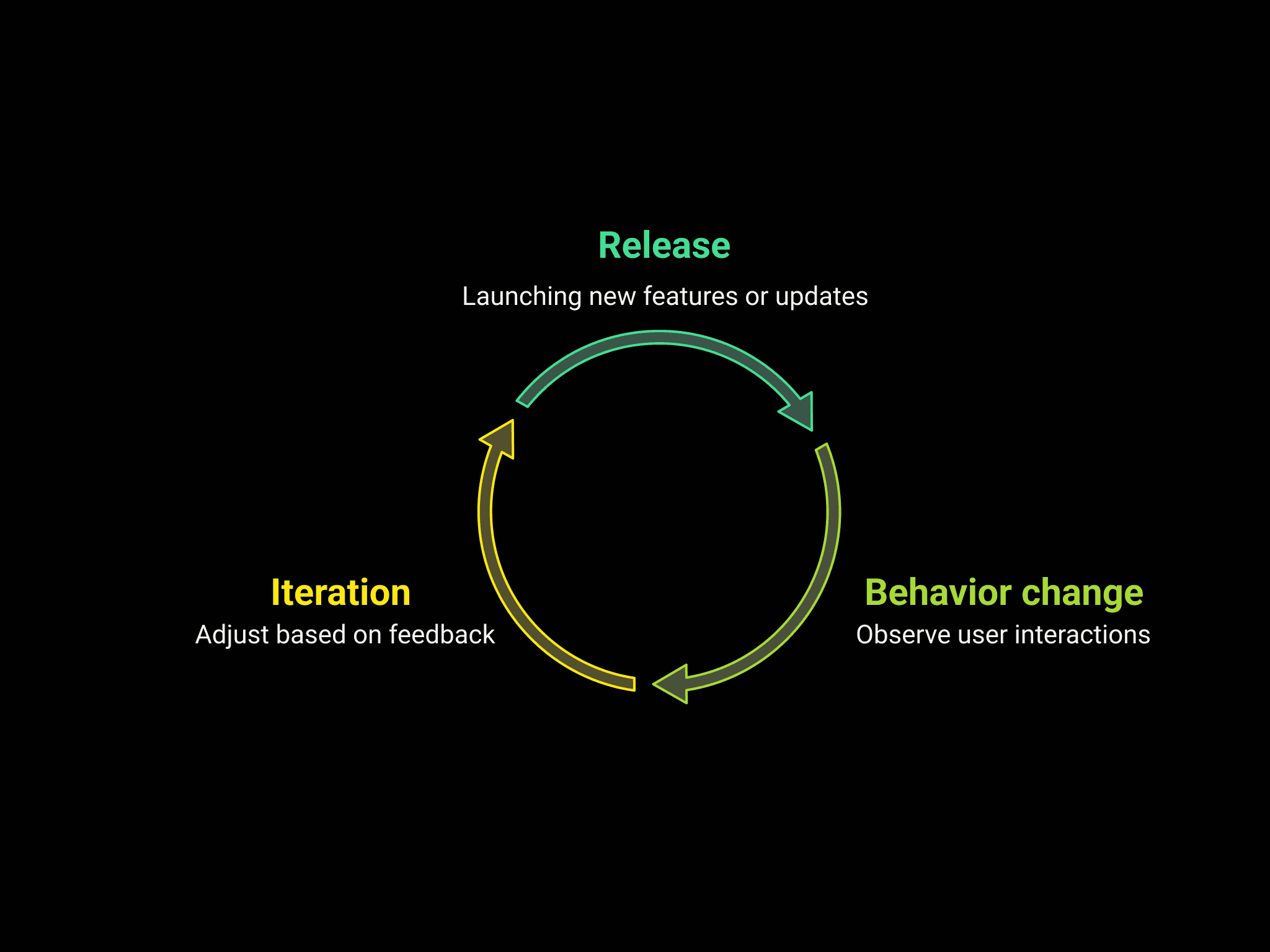
Establishing a data-driven content cycle to scale sustainably After every content update—whether new icons, videos, or campaign assets—I tracked usage metrics for 1–2 weeks using GA, GTM, and Hotjar. This allowed me to build a structured “release → behavior change → iteration” cycle, creating a scalable model for future improvements and trend prediction.
UX isn’t just about screens—it’s about systems, sustainability, and satisfaction This project taught me that great UX requires both strategic thinking and operational follow-through. From taxonomy design to responsive optimization, I worked at the intersection of UX strategy, design ops, and data analytics—building a long-term, user-centered platform that continues to grow and serve international teams today. It remains one of the most comprehensive examples of my ability to drive data-informed UX improvements at scale.
Creating a centralized, scalable design platform for global teams Design resources at Synology were once scattered, inconsistent, and difficult to maintain—causing inefficiencies across international teams. As the company grew, the need for a centralized, well-structured design guideline site became essential. As the Design Coordinator, I led UX planning, IA restructuring, content strategy, stakeholder collaboration (across design, engineering, and marketing), and long-term operational updates.
01 Challenge & Role
Establishing a data-driven content cycle to scale sustainably After every content update—whether new icons, videos, or campaign assets—I tracked usage metrics for 1–2 weeks using GA, GTM, and Hotjar. This allowed me to build a structured “release → behavior change → iteration” cycle, creating a scalable model for future improvements and trend prediction.
03 User Behavior & Insights User-centered decisions powered by GA, GSC, Hotjar Analytics revealed that icons, logos, and package icons were the top entry points, accounting for over 60% of total traffic. The /resources/icons page alone contributed 46% of incoming visits. Weekly download peaks rose to 228, with consistent growth in event triggers and interactions. Using Hotjar heatmaps, we discovered frequent tab-switching caused by distant placements between “icon” and “package icon.” Based on this finding, I restructured the tab layout—resulting in reduced bounce rate and improved user satisfaction. Search bar queries (e.g., "icons," "package-icons," "product") mirrored the top-performing GSC keywords like "synology icon"—validating the content-structure alignment with user intent.
User-centered decisions powered by GA, Hotjar, GSC 1. Google Analytics (GA): Analytics revealed that icons, logos, and package icons were the top entry points, accounting for over 60% of total traffic. The /resources/icons page alone contributed 46% of incoming visits. Daily download peaks rose to 341, with consistent growth in event triggers and interactions. 2. Hotjar: Using Hotjar heatmaps and recordings, we discovered frequent tab-switching caused by distant placements between “icon” and “package icon.” Based on this finding, I restructured the tab layout—resulting in reduced bounce rate and improved user satisfaction. 3. Google Search Console (GSC): Search bar queries (e.g., "icons," "package-icons," "product") mirrored the top-performing GSC keywords like "synology icon"—validating the content-structure alignment with user intent.
From scattered assets to a global design hub: 3 years, 10+ major updates We started by auditing over 100+ design resources—icons, logos, banners, product images, videos—and restructured them into a modular, user-friendly information architecture. I designed and implemented a global Search bar and Filter system, then integrated GA/GTM tracking to continuously monitor user behavior. To support international access, I coordinated with engineers to open the site to the public, optimized multilingual SEO and URL structure, and created update cycles of 2–3 major launches per year, covering UI improvements, content expansion, and responsive layout upgrades.
Key UX improvements I implemented: • Search & Filter System: The newly added bar increased findability and usability, confirmed through GTM event tracking. • IA Optimization: Resources were restructured and renamed based on real user search behavior, ensuring logical groupings like “Product Photo” and “Illustration.” • Interaction Polishing: Small yet impactful changes—hover previews on icons, revised tab orders, and simplified homepage copy—boosted interactivity and discoverability • Responsive Design Enhancements: I coworked with visual designer RWD optimizations to ensure consistent mobile/desktop experience, reducing bounce rates. RWD optimizations to ensure consistent mobile/desktop experience, reducing bounce rates.
UX isn’t just about screens—it’s about systems, sustainability, and satisfaction This project taught me that great UX requires both strategic thinking and operational follow-through. From taxonomy design to responsive optimization, I worked at the intersection of UX strategy, design ops, and data analytics—building a long-term, user-centered platform that continues to grow and serve international teams today. It remains one of the most comprehensive examples of my ability to drive data-informed UX improvements at scale.

Copyright © 2026 Linda-in-design. All rights reserved.